




Match List – I (Software) with List – II (Function / Work).
| List I (Software) | List II (Function/ Work) |
| (a) Frame Maker | (i) Video Editing |
| (b) Director | (ii) Sound Editing |
| (c) Protool | (iii) Technical Writing |
| (d) Final cut Pro | (iv) Multimedia Production |
| Codes: | (a) | (b) | (c) | (d) |
| (A) | (i) | (iii) | (iv) | (ii) |
| (B) | (iv) | (ii) | (i) | (iii) |
| (C) | (iii) | (iv) | (ii) | (i) |
| (D) | (ii) | (i) | (iii) | (iv) |
Correct Ans: (C)
Explanation:
Media professionals use different software to perform specific tasks. Each tool enhances productivity and ensures high-quality results.
First, FrameMaker helps writers create structured documents, manuals, and large publications. It supports complex layouts and formatting, making it an essential tool for professional documentation.
Meanwhile, Director allows creators to develop multimedia content. Professionals use it to design interactive applications, animations, and educational content. Although its popularity has declined, it played a major role in early multimedia development.
On the other hand, Pro Tools enables sound engineers to edit and mix audio. Music producers and filmmakers rely on this software for recording, enhancing, and fine-tuning sound. Its advanced features ensure high-quality audio production.
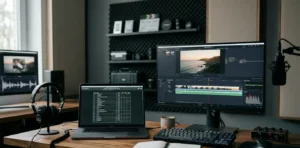
Lastly, Final Cut Pro provides filmmakers with powerful video editing tools. It allows users to cut, arrange, and enhance footage with ease. Many professionals prefer it for its user-friendly interface and advanced features like color correction and special effects.
Choosing the right software improves efficiency and creativity in media production. Since each tool serves a specific function, professionals must use the appropriate one for their needs. Understanding these software applications helps media creators produce high-quality work efficiently.