About Course
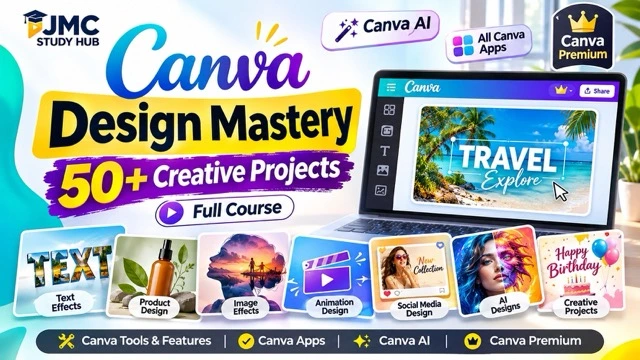
Master Canva by Creating 50+ Real Design Projects
Canva ko genuinely master karna hai to sirf tools aur features dekhna enough nahi hai — aapko unhe actual designs mein use karna aana chahiye.
This course brings together 50+ unique Canva design projects in one place, each created to help you learn a different design technique, creative workflow, visual effect, or Canva feature through practical application.
From typography, image effects and product visuals to animations, AI-powered designs, social media creatives and advanced visual compositions, every project gives you something new to create and practise.
Learn Canva by Doing
Instead of learning Canva feature by feature, you will learn by creating complete designs.
Across the projects, you can explore:
-
Canva Design Tools & Apps
-
Canva AI Features
-
Canva Premium Features
-
Text, Image & Visual Effects
-
Animation & Creative Workflows
Each project helps you understand how different Canva tools can work together to turn an idea into a polished visual.
50+ Projects. 50+ Opportunities to Create.
The course includes a wide variety of practical projects such as text effects, image transformations, product designs, creative compositions, animations, AI-generated visuals and many other design styles.
Because every project is different, you continuously discover new ways to use Canva instead of repeating the same type of design.
You can follow the projects step by step, recreate them yourself, experiment with your own ideas and gradually build stronger design confidence.
On the JMC Study Hub platform, you can track your learning progress, save notes, access learning resources, review quizzes and return to any project whenever you want to practise again.
Whether you are a student, aspiring designer, content creator, social media creator or anyone interested in visual design, this course gives you a practical way to move beyond basic Canva usage and become more confident with creative design.
Learn Canva. Create 50+ Designs. Build Skills by Doing.
Course Content
Project
-
Turn a Photo into a Video with Canva AI
03:09 -
Concepts of Journalism and Mass Communication
-
Create an Image-in-Text Effect in Canva
04:29 -
Create an Image Reflection Effect in Canva
01:50 -
Create Professional Product Photos in Canva
00:00 -
Create Type Studio Designs in Canva
01:49 -
Create Custom Advertisement Animations in Canva
10:21 -
Transform One Image into Multiple Styles with Canva AI
04:07 -
Create a Hanging Text Effect in Canva
00:00 -
Create a Flying Airplane Animation in Canva
05:35 -
Create a Tropical Beach Design in Canva
03:12 -
Create a Bird Pop-Out Text Effect in Canva
00:00 -
Create a 3D Pop-Out Photo Effect in Canva
00:00 -
01. PYQ 2004 December- Paper II (Mass Communication) – Q1-Q10
Student Ratings & Reviews
